AutoVAD Mode
Monitors system voice thresholds dynamically, launching standalone clip sequences when speech activity initiates and breaking cleanly on silence timeout windows.


A lightweight, low-overhead Windows companion built to continuously stream, capture, manage, and process high-fidelity audio snippets instantly.
v2.4.0.0829Intelligent audio capturing logic bound to high-performance local management wrappers.
Monitors system voice thresholds dynamically, launching standalone clip sequences when speech activity initiates and breaking cleanly on silence timeout windows.
Maintains a silent, zero-impact background cyclic allocation array. Instantly extract and commit the last N seconds of history via a global hotkey context.
Isolate structural audio endpoints directly from specified thread windows (like Discord or specific game targets) while discarding standard system clutter.
Organize, favorite, cascade-sort, or queue multiple capture items using a fast SQLite data persistence backend tied into highly responsive modular structural pads.
Track hardware input lines, master loopback mixes, and target monitor streams concurrently with hardware-accurate RMS meters and clipping peak indicators.
Process operations inside a destructive local trim environment featuring dynamic gain curves, adjustable noise gating, echoing, and a fixed 5-band studio EQ array.
Go from zero configuration to capturing perfect snippets in under a minute.
Pick your standard microphone line-in, general Windows system mix, or pin an app-specific pipeline context.
Toggle AutoVAD for continuous automated monitoring, or enable Key Buffer to capture past actions on command.
Check localized decibel parameters using live VU indicators before initiating production workflow tracking.
Trigger visual deck blocks to replay audio instantly, send assets to the favorites list, or apply processing algorithms.
Visual monitoring ecosystems constructed around native WPF layout engines.
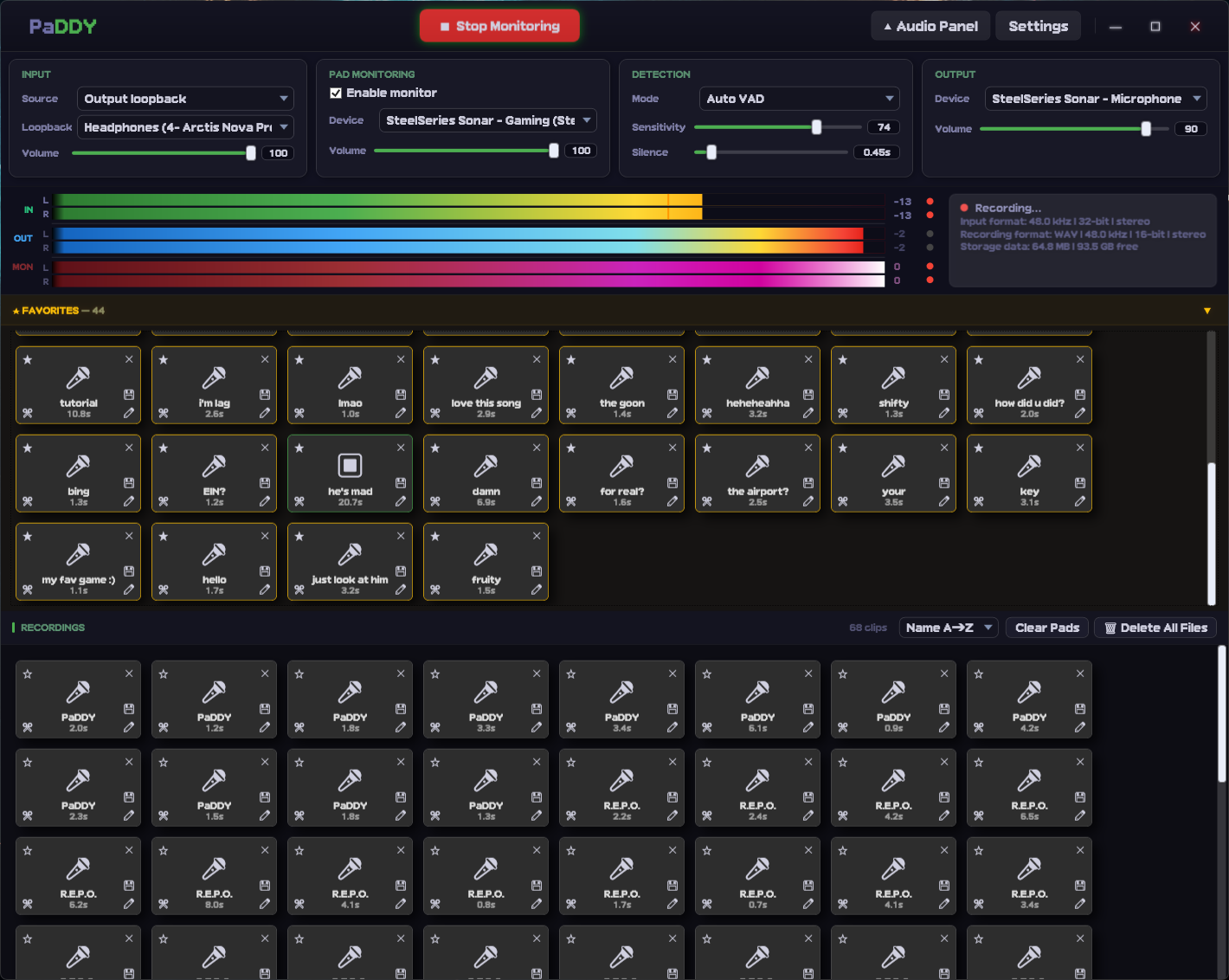
Integrated structural clip pads, input tracking knobs, operational profile tags, and independent pipeline multi-meters.
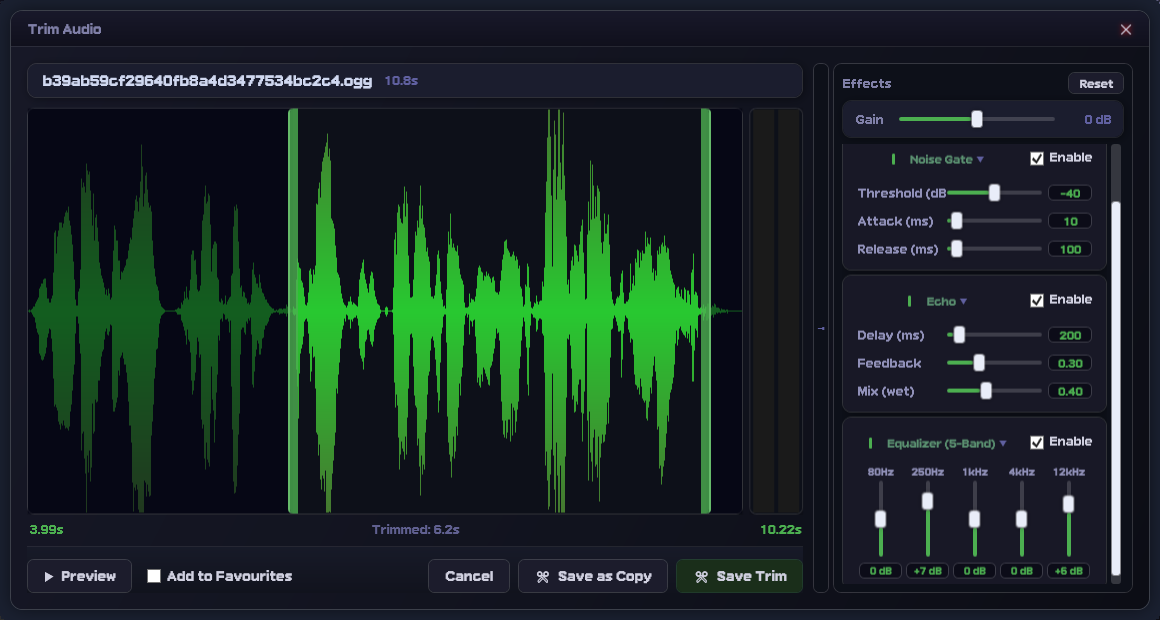
Fine-grained waveform timeline positioning matching inline hardware EQ, noise gate modules, and dynamic multi-format export presets.
Pre-compiled release distributions are delivered completely self-contained — no configuration overhead or dependencies needed.
PaDDY_[version].zip.PaDDY.exe.Requires an environment running Windows 10/11 along with an active .NET 10 SDK compiler profile context.
# Pull and link project component assemblies
dotnet restore PaDDY.sln

# Target architectural optimized compilation profiles
dotnet build PaDDY.csproj --configuration ReleaseReview full execution updates, patch items, or component version updates inside the CHANGELOG.md file.